Evernorth case platform · Spousal sponsorship first
A guided path for every sponsorship file
One website for the office and its clients. Clients always know what to do next. Case managers step in only when a person is really needed.
At a glance
- The problem
- Managers spend their day chasing documents, answering the same questions and reminding clients.
- The idea
- The platform does the routine work. Managers handle only what needs judgment.
- The result
- Fewer emails and calls, fewer stalled files, more cases per manager.
- One place
- Questionnaires, documents, questions, reminders and tracking, all on the platform. No Monday, email threads or WhatsApp.
What changes
Today
With the platform
Example: a police certificate that takes weeks
Today
- ManagerNotices the certificate is missing.
- ManagerEmails the client to ask for it.
- ClientReplies that it was requested and takes 6 weeks.
- ManagerWrites a note to follow up later.
- ManagerFollows up, sometimes several times.
- ClientSends it by email or WhatsApp.
- ManagerSaves it to the file and checks it.
5 manager actions
With the platform
- PlatformShows it on the client's to-do list.
- ClientTaps "I've requested it" and enters the expected date.
- PlatformStops reminding, then asks again on that date.
- ClientUploads it on the Documents page.
- ManagerApproves it in one click.
1 manager action
How a case moves
| Start | Fill in | Check | Submit | After | |
|---|---|---|---|---|---|
| Clients | — | Answer questions, upload documents | Fix flagged items, confirm answers | — | Biometrics, medical exam |
| Platform | Sends private links | Explains, saves, sends reminders | Finds gaps and mismatches | Builds the package | Tracks steps, reminds clients |
| Case manager | Opens the case | Answers "I'm not sure" notes | Approves documents | Final review, submits | Handles IRCC requests |
Every case is always in one of these stages:
- InvitedLinks sent
- CollectingClients filling in
- Ready for reviewConsultant checks
- Ready to submitNothing missing
- SubmittedWith IRCC
- ClosedDecision received
For clients Built
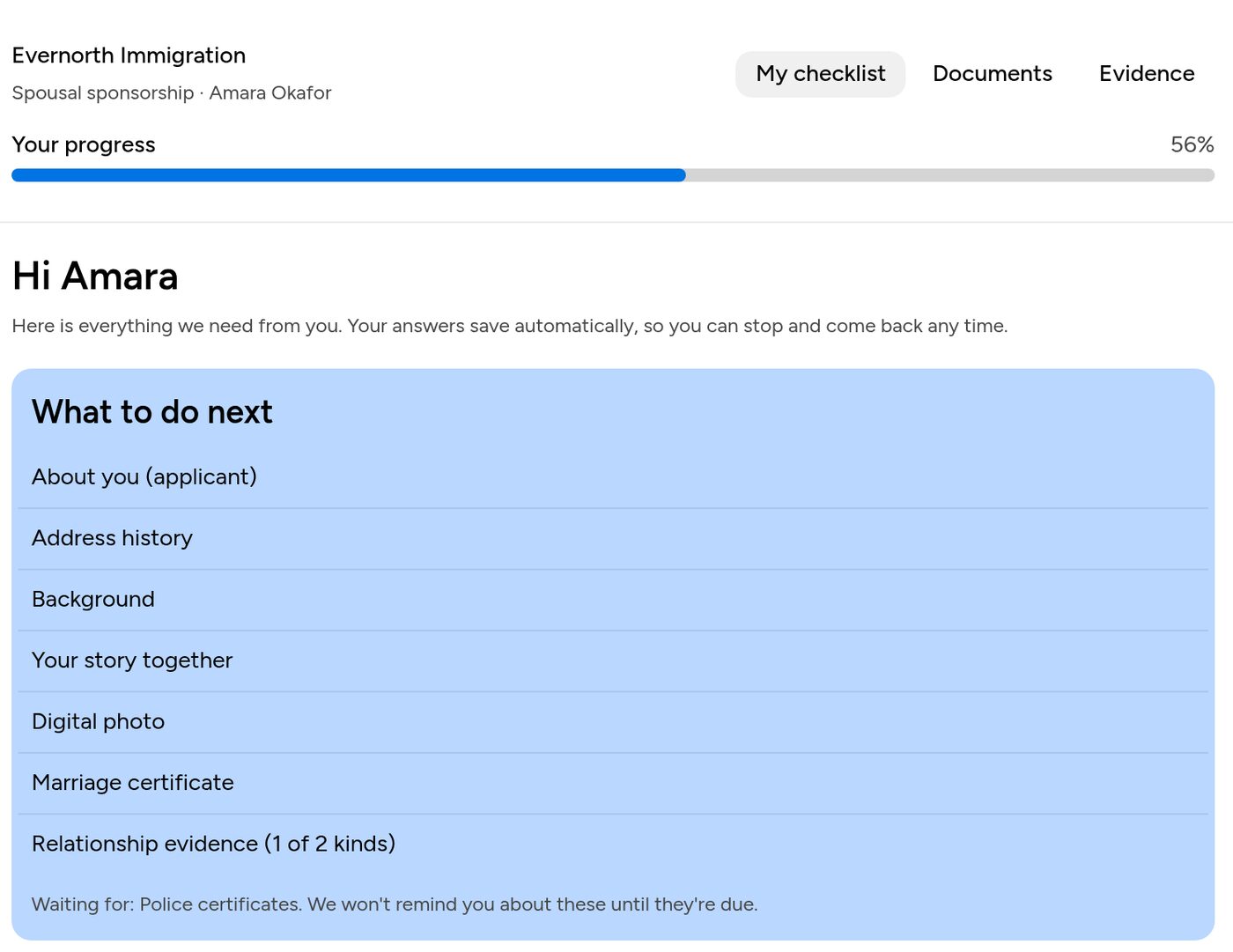
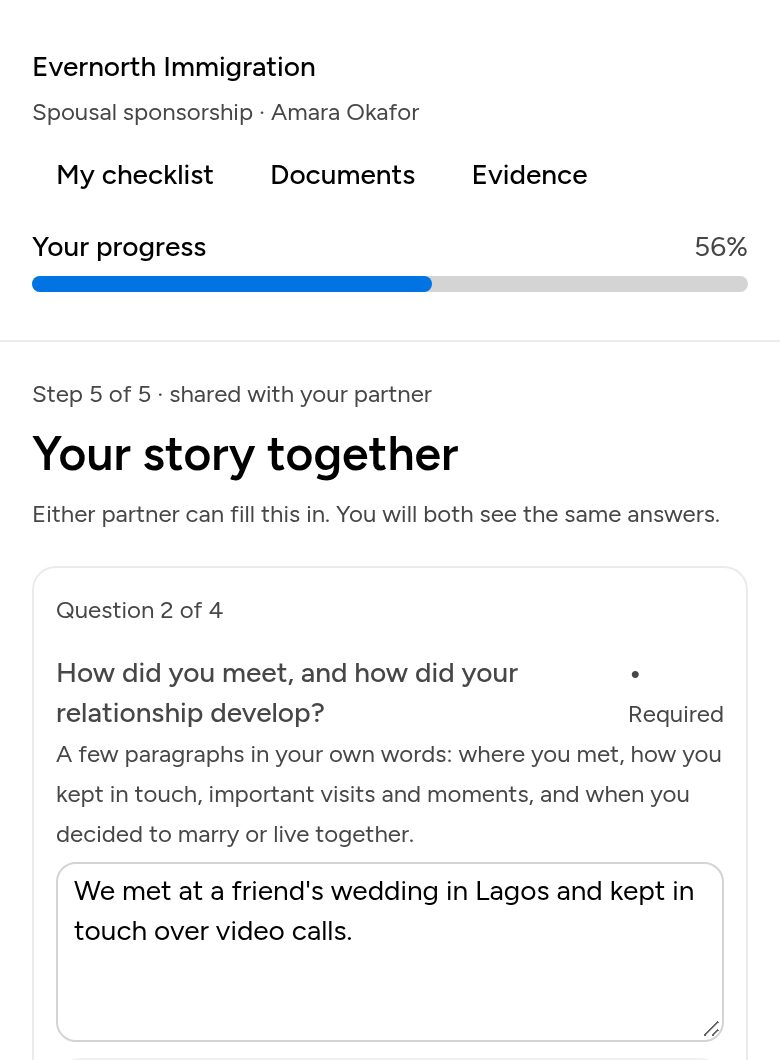
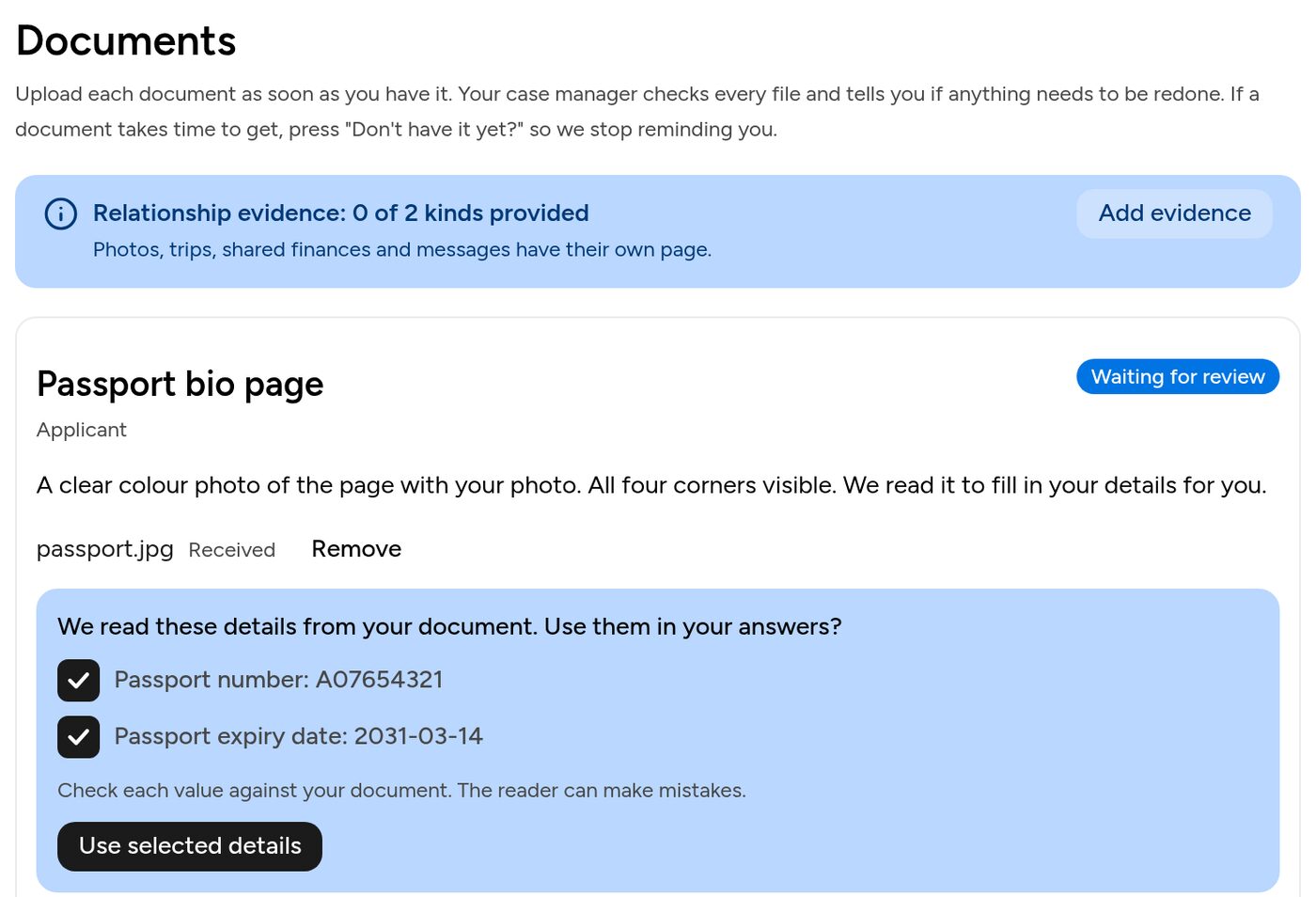
What to do next
A short list of next steps, each linking straight to it. No passwords: just a private link.
Clear questions
Each one says why it's asked, with an example. One per screen on a phone.
"I'm not sure"
Leave a note on any question. The manager answers right next to it.
AI help with wording
Turns rough notes into a clear draft the client edits. No legal advice.
Mistakes caught early
Gaps in address or work history and wrong dates are flagged on the spot.
Scan to fill
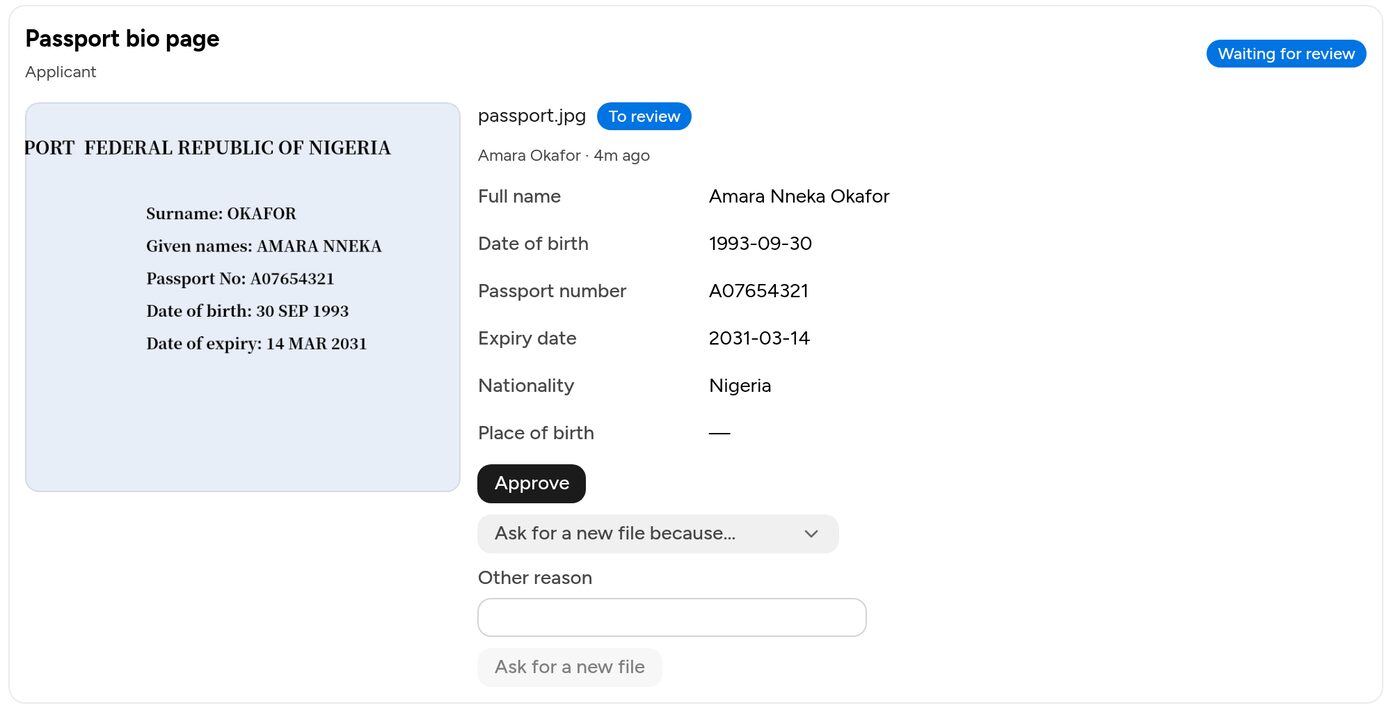
Upload a passport or marriage certificate and the answers fill themselves in.
Clear document status
Uploaded, approved or needs a new file, with the reason. "I've requested it" pauses reminders.
Relationship evidence
Photos, chats and bills with a caption and date. Shows what kinds are still needed.
Check your answers
Each partner reviews everything on one page and confirms it.
After submission
See where the application is and what to do next, like biometrics.
For case managers Built
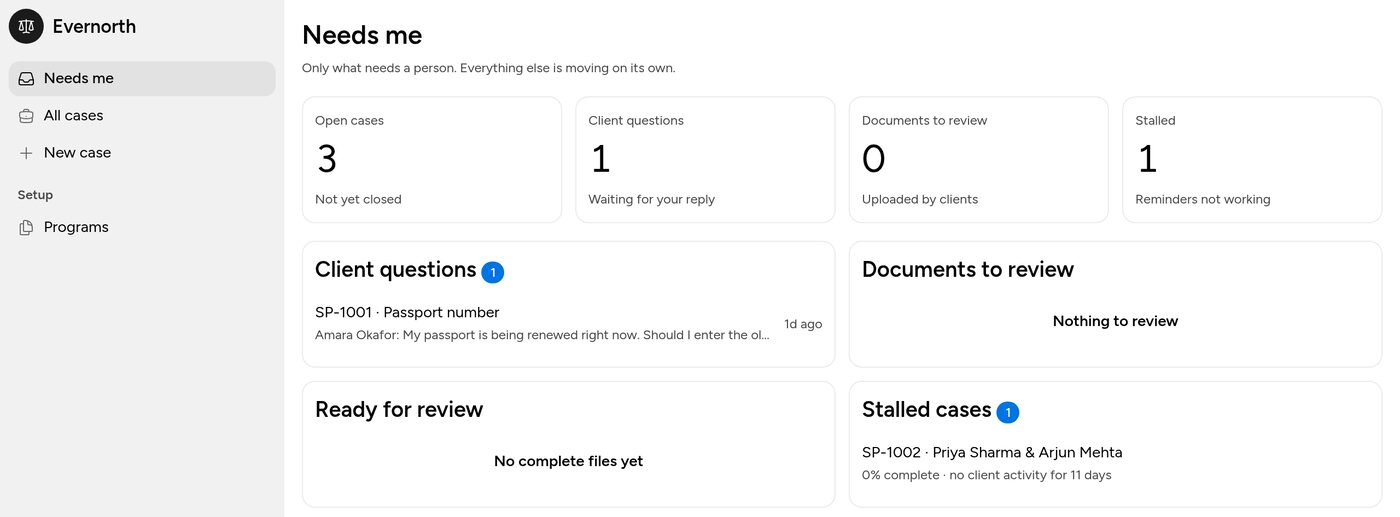

"Needs me" inbox
Only what needs a person, plus every case with its stage and progress.
Start a case in a minute
Pick the program, enter two emails. Invitations go out on their own.
Answers by IRCC form
Grouped the way the official forms ask, with copy buttons.
Fast document review
Large preview and one-click rejection reasons. The client is emailed a direct link.
Consistency checks
Compares both partners' answers, and answers against scanned documents.
Suggested replies
AI drafts a reply to a client question. Good answers go into a shared FAQ.
Nothing incomplete is submitted
"Ready to submit" stays locked until nothing is missing, with the list of what blocks it.
One-click package
All approved documents and an answer summary in one download.
After submission
Record IRCC steps. New IRCC requests go to the client with reminders.
Timeline and access log
What happened and when, and who opened the case or its documents.
Behind the scenes Built
Reminders and stall alerts
Emails list what's missing. Ignored reminders send the case to the manager.
Automatic stages
Cases move forward as soon as the clients finish their part.
Secure sign-in
No passwords. Staff and clients sign in with a code sent to their email.
The office controls the content
Questions, documents, forms and reminder timing are edited in the platform. No developer needed.
Planned Planned
The firm's own content
A licensed consultant replaces the sample questions and documents.
Help from real experience
Common client questions become help notes; common stall reasons become checks.
More programs
Work permits, parents and grandparents and others, added in the same editor.
First real cases
Go live on a few new cases and improve wherever clients get stuck.